Quantix
Choosing an ai computing server manufacturer is not simply a purchasing decision. It shapes how quickly your models train, how reliably your data moves, and how much energy each workload consumes. A credible manufacturer should understand GPU architecture, high-speed networking, cooling design, storage performance, and long-term maintenance. Specifications matter. Practical results matter more.
NVIDIA founder and CEO Jensen Huang has described the industry’s direction clearly: “Accelerated computing is the path forward.” His observation reflects a visible change in modern data centers. A well-designed server can process large language models beside quiet liquid-cooling lines, dense GPU trays, and carefully balanced power systems. These details affect uptime, noise, rack space, and operating costs.
The right ai computing server manufacturer should provide more than impressive hardware. It should offer tested configurations, transparent performance data, responsive technical support, and upgrade options that remain useful after deployment. Ask how systems perform under sustained workloads, not only during short demonstrations. Ask about thermal limits, firmware updates, component availability, and warranty response times.
Do not trust every benchmark.
Some comparisons are incomplete. They may ignore power consumption, software compatibility, or service delays. A manufacturer with proven deployment experience can expose these weaknesses before they become expensive problems. Still, no supplier is perfect. Even strong vendors may communicate poorly or underestimate integration work. Careful evaluation remains necessary.
This guide examines why organizations choose an ai computing server manufacturer, what evidence deserves attention, and which questions reveal genuine expertise. The goal is not to promote the biggest name. It is to identify a dependable technical partner for demanding, changing workloads.
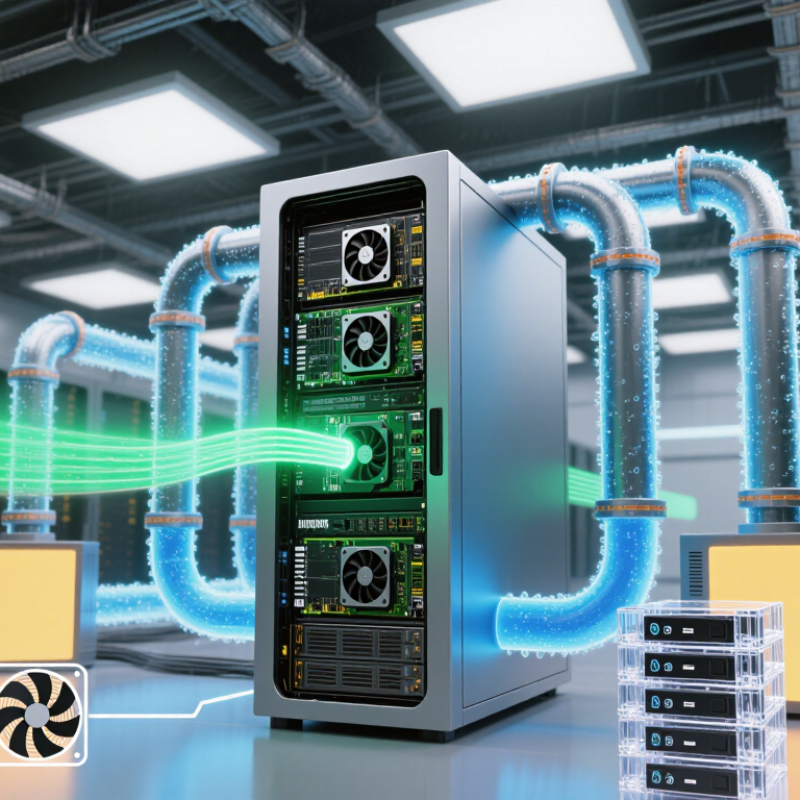
An AI computing server manufacturer designs and builds systems for workloads such as model training, inference, and data analysis. These machines combine processors, accelerators, memory, storage, networking, and cooling in a coordinated platform. The manufacturer’s role is not simply to assemble parts. It must verify that components work together under sustained, demanding loads.
Core functions often include hardware design, component selection, system integration, testing, and technical support. For example, a server may need high-bandwidth memory, fast connections between accelerators, and airflow that handles dense heat. Testing can reveal throttling, unstable performance, or bottlenecks before deployment. That matters in a real rack, where limited space and power affect daily operation. Small details count.
A capable manufacturer also helps match system specifications to a customer’s software and workload. It may advise on capacity, expansion options, serviceability, and deployment conditions. These recommendations should be specific, not just impressive figures on a datasheet. Yet no design removes every trade-off: more cooling can mean more power use, while compact layouts can complicate maintenance. Buyers should review test methods, support terms, and compatibility claims carefully. A polished specification sheet is useful, but it is not the whole story.
Why Choose an AI Computing Server Manufacturer?
Key Technologies Behind AI Computing Server Design
AI server design depends on how processors, memory, storage, and networking work together. Accelerators may deliver high compute capacity, but slow data movement can leave them waiting. High-bandwidth memory and fast links between processors help keep large training jobs moving. The right balance depends on the workload, not simply the number of accelerators.
Thermal and power design matter just as much. Dense systems can draw substantial power, while tightly packed components generate concentrated heat. Engineers use airflow planning, temperature monitoring, and carefully sized power supplies to maintain stable operation. Error-correcting memory can help detect and correct certain data errors. Still, no single feature guarantees reliability; system validation under realistic workloads is essential.
Tips: Ask for test results using workloads similar to yours. Check noise, power draw, and cooling requirements before deployment. Small details matter. A design that performs well in a short benchmark may behave differently during sustained use, so testing assumptions is worth the extra effort.
A purpose-built AI server brings together compute, memory, networking, power, cooling, and system software. The appropriate configuration depends on workload, deployment environment, and performance requirements.
| Technology Area | Design Consideration | Typical Implementation | Why It Matters |
|---|---|---|---|
| AI Accelerators | GPU or other accelerator selection and topology | One or more accelerators connected through supported PCI Express or high-speed accelerator links | Accelerators perform much of the parallel computation used in model training and inference. The number and type required vary with model size and workload. |
| Host Processors | CPU core count, memory channels, and I/O capacity | Server-class processors selected to feed accelerators and handle data preparation, orchestration, and system tasks | Balanced host resources help prevent CPU, memory, or I/O bottlenecks from limiting accelerator utilization. |
| System Memory | Capacity, bandwidth, and memory-channel population | ECC memory configured according to processor and platform specifications | System memory supports datasets, preprocessing, and operating-system workloads. ECC helps detect and correct certain memory errors. |
| Accelerator Memory | Memory capacity and bandwidth per accelerator | On-board high-bandwidth memory, with capacity determined by the selected accelerator | Model weights, activations, and intermediate data must fit within available memory or be managed across devices, which can affect performance. |
| Interconnect | Bandwidth and topology between accelerators and hosts | PCI Express connectivity and, where supported, dedicated accelerator-to-accelerator links | Fast communication can improve multi-accelerator scaling, especially when a workload frequently exchanges data between devices. |
| Networking | Throughput and latency for storage and cluster traffic | Ethernet or other supported high-speed network adapters, chosen for the cluster and storage design | Network capacity affects distributed training, shared-storage access, and data movement between servers. |
| Storage | Capacity, throughput, and data-access pattern | NVMe solid-state drives for local high-speed storage, with additional shared storage where required | Suitable storage helps keep training data and checkpoints available without making data loading a system bottleneck. |
| Power Delivery | Power-supply capacity, redundancy, and distribution | Power supplies and cabling sized for the complete system configuration and facility requirements | Accelerators can draw substantial power under load. Correct sizing supports stable operation and leaves room for the intended configuration. |
| Thermal Management | Heat removal and airflow through high-density components | Chassis airflow designed for the installed components; liquid cooling may be used in suitable high-density designs | Effective cooling helps maintain operating conditions and can reduce thermal throttling. Cooling needs depend on component power and data-center infrastructure. |
| Firmware and Management | Hardware monitoring, updates, and remote administration | Platform management controllers, sensor reporting, and validated firmware configurations | Consistent monitoring and maintenance can simplify troubleshooting and help operators manage systems at scale. |
| Software Compatibility | Operating system, drivers, libraries, and framework support | A validated software stack aligned with the selected processors, accelerators, and deployment environment | Hardware capability alone does not guarantee application performance. Compatible software is essential for using supported features reliably. |
| System Validation | Integration testing under representative loads | Checks for component compatibility, thermal behavior, stability, and workload-specific performance | System-level validation can identify integration issues that may not be apparent from individual component specifications. |
Specifications and performance vary by configuration, workload, software, and data-center conditions. Compare complete system designs against the intended use case rather than relying on component specifications alone.
Why Choose an AI Computing Server Manufacturer?
An experienced AI computing server manufacturer can shape systems around real workloads, not just headline specifications. GPU placement, memory bandwidth, and cooling paths all affect how quickly models train. Small design choices matter. The International Energy Agency reported that data centres used about 460 terawatt-hours of electricity in 2022, with demand potentially exceeding 1,000 terawatt-hours by 2026. That forecast makes power efficiency a practical engineering concern. Manufacturers can test airflow, thermal limits, and power delivery together, helping prevent throttling during sustained workloads. Yet a lab result is not a guarantee; performance should be checked under the customer’s actual software and data loads.
Scalability depends on more than adding servers. A manufacturer can plan rack density, network capacity, storage throughput, and power budgets before expansion, reducing disruptive redesigns later. Reliability also comes from details: validated components, burn-in testing, clear service procedures, and spare-part planning. Uptime Institute’s 2024 Global Data Center Survey found that power issues remained the leading cause of significant facility outages. That finding reinforces the value of coordination between server design and site infrastructure. Still, redundancy adds cost and complexity. There is no perfect configuration. Buyers should ask for workload-based benchmarks, thermal test conditions, and documented failure-recovery procedures, then review the results with their operations team.
Security, support, customization, and total cost deserve close scrutiny before selecting an AI server manufacturer. A secure design should include signed firmware, role-based access, and clear patch procedures. Ask who can access diagnostic logs and how quickly critical fixes arrive.
The 2024 Uptime Institute outage analysis found that 54% of surveyed operators said their most recent significant outage cost over $100,000. Downtime is not an abstract line item.
Support matters when a GPU node overheats at 2 a.m. Check response targets, spare-parts locations, and whether technicians can diagnose hardware remotely. Customization should match actual workloads: accelerator count, memory capacity, power limits, and rack depth. Avoid paying for oversized configurations that sit idle.
Compare the full operating cost, including energy, cooling, maintenance, and software integration, over several years. These estimates are imperfect; workload growth can make today’s careful forecast look wrong.
Tips: Request a sample bill of materials and a written support escalation path. Ask for measured power draw under your workload, not only peak specifications. Then compare three-year costs. Small details matter: one incompatible rail kit can delay an installation.
Choosing the right AI computing server manufacturer starts with your workload, not a headline performance figure. Ask for benchmark results using your model size, batch volume, and precision settings. A server that performs well in a vendor’s test may behave differently with your data pipeline. Request details on accelerator memory, bandwidth, networking, and support for your existing software. Test a representative job if possible. Real workloads reveal bottlenecks.
Power and cooling deserve equal attention. The International Energy Agency’s Energy and AI report estimates data centers used about 415 TWh of electricity in 2024, with demand potentially rising to around 945 TWh by 2030. That growth makes power density, cooling design, and energy monitoring practical selection criteria. Ask how the manufacturer validates thermal performance under sustained load, not just during a short demonstration. Check service response times, spare-part availability, warranty coverage, and upgrade paths. Small details matter: a delayed replacement fan can idle costly hardware. No checklist is perfect. Even careful buyers can underestimate integration work, so clarify deployment responsibilities before signing.
Choosing the Right AI Computing Server Manufacturer for Your Needs
PCIe bandwidth is one useful specification to compare when evaluating AI server designs. The chart shows theoretical one-way bandwidth for an x16 link; real throughput can be lower due to protocol overhead and system configuration. Consider it alongside accelerator compatibility, memory capacity, cooling, power delivery, and support.
Match the server to your workload, not its accelerator count. Model size, batch volume, precision, memory, and data movement all matter. More accelerators are not always better.
Fast memory and processor links keep training data moving. Slow connections can leave expensive accelerators waiting. That wasted time may appear only during large jobs.
Check measured power use during sustained workloads. Review airflow, temperature monitoring, cooling capacity, and power-supply sizing. A short demo can hide heat problems.
Look for signed firmware, role-based access, and clear patch procedures. Ask who can view diagnostic logs. Security planning still needs regular review.
Ask about response targets, remote diagnosis, spare-part locations, and replacement procedures. A failed fan at night can stop costly hardware. Support promises need written details.
Useful options include accelerator count, memory capacity, power limits, and rack depth. Avoid oversized systems that remain mostly idle. My estimate may change as workloads grow.
Compare energy, cooling, maintenance, software integration, and hardware costs over several years. Use measured workload power, not only peak specifications. Forecasts can still be wrong.
Test a representative job using your data pipeline and actual settings. Check performance, noise, temperatures, and installation requirements. Small details matter. A rail mismatch can delay deployment.
Choosing the right AI computing server manufacturer is essential for building infrastructure that can handle demanding artificial intelligence workloads. These manufacturers design and produce servers that combine processors, accelerators, memory, storage, and networking components to support tasks such as model training and inference. Their work extends beyond hardware selection to system integration, thermal management, and compatibility with software and data center environments.
A capable manufacturer optimizes performance, scalability, and reliability while helping customers assess security features, technical support, customization options, and total cost of ownership. Important design considerations include efficient power use, cooling, high-speed data movement, and the ability to expand capacity as workloads grow. By comparing these factors against current requirements and future plans, organizations can select an ai computing server manufacturer that offers a practical, dependable solution suited to their operational needs.
